First thoughts on Omarchy
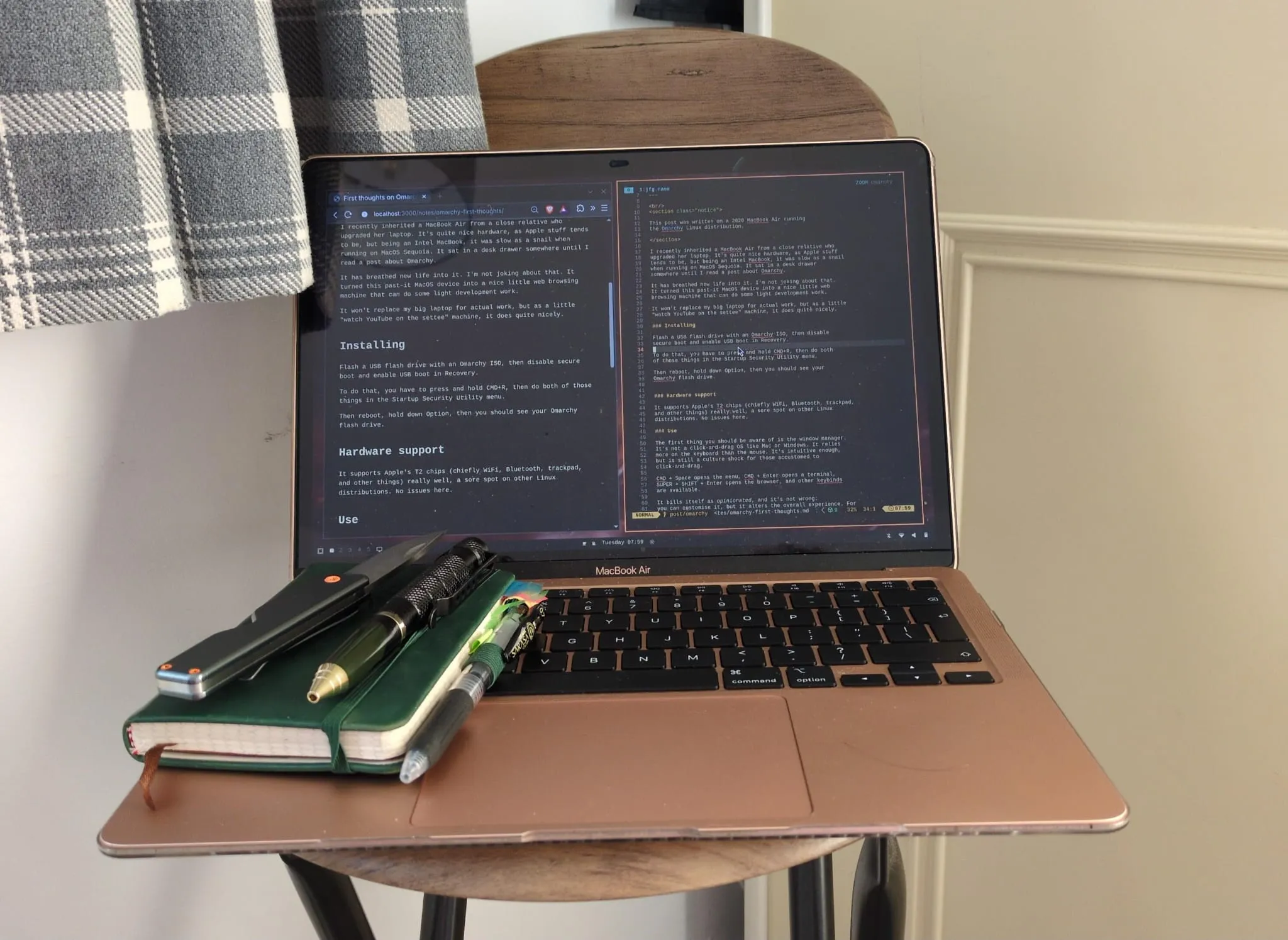
LinuxThis post was written on a 2020 MacBook Air running the Omarchy Linux distribution.
It's about Omarchy, not some of the more contentious personalities on its development team.
I recently inherited a MacBook Air from a close relative who upgraded her laptop. It's quite nice hardware, as Apple stuff tends to be, but being an Intel MacBook, it was slow as a snail when running on MacOS Sequoia. It sat in a desk drawer somewhere until I read a post about Omarchy.
It has breathed new life into it. I'm not joking about that. It turned this past-it MacOS device into a nice little web browsing machine that can do some light development work.
It won't replace my big laptop for actual work, but as a little "watch YouTube on the settee while I do some light development work on a remote server" machine, it fits quite nicely.
Installing
Flash a USB flash drive with an Omarchy ISO, then disable secure boot and enable USB boot in Recovery.
To do that, you have to press and hold CMD+R, then do both of those things in the Startup Security Utility menu.
Then reboot, hold down Option, then you should see your Omarchy flash drive.
Hardware support
It supports Apple's T2 chips (chiefly WiFi, Bluetooth, trackpad, and other things) really well, a sore spot on other Linux distributions. No issues here. Probably the first time a Linux distribution has "just worked" on Apple hardware.
Use
The first thing you should be aware of is the window manager. It's not a click-and-drag OS like Mac or Windows. It relies more on the keyboard than the mouse. It's intuitive enough, but is still a culture shock for those accustomed to click-and-drag.
CMD + Space opens the menu, CMD + Enter opens a terminal, SUPER + SHIFT + Enter opens the browser, and other keybinds are available.
It bills itself as opinionated, and it's not wrong: you can customise it, but it alters the overall experience. It requires the user to conform to it, but the user can customise it.
It has decent battery life (at least better than what I have on my other laptop), although I haven't exactly been taxing it. Once I start compiling more Rust I'll find out.
What I like
Oh it's pretty. Theming is simple. I like that the Omarchy foundation has an Artists programme.
It does have good defaults, I'll give it that.
The screen recorder is useful, especially with a webcam. It's good for screencasts.
I think that creating the distribution is just the start, and all good distributions require community. I like the meetups.
The foundation is a good idea too. A foundation with goals keeps the momentum going. GitHub is full of orphaned Linux distributions that couldn't keep the momentum going.
What I would change
I'm still unsure about AUR, given its compromises in recent years. I don't think workstation operating systems should use the AUR, and should instead use something like Homebrew. I'm wary of installing system wide packages now. Time will tell for security. I like that there's actually a security team.
I'm not convinced about shipping an entire LazyVim distribution because
editors tend to be very personal things. I prefer leaving my editor as
an editor with a proper IDE for anything heavyweight. I suppose I can
rm -r ~/.config/nvim and put my own in, but this risks breaking theming.
I think it makes the right call in requiring sudo to run docker operations.
It's not that onerous and the documentation is correct about being able to
gain a root shell through a clever docker mount. I can't help but think
that maybe Podman is better here, not requiring root. Docker and Podman,
save for a few edge cases, are more-or-less 1:1 compatible.
It's early days, but given that Omarchy is developed mostly with AI, I can't help think that the bash-heavy approach to development could be replaced entirely. I know nix is a bit of an ogre, but if you're using a language model anyway, it could be even better. Or maybe a SteamOS-style immutable root. Something like Bluefin. It's effectively a single-user system, why not make the root immutable?